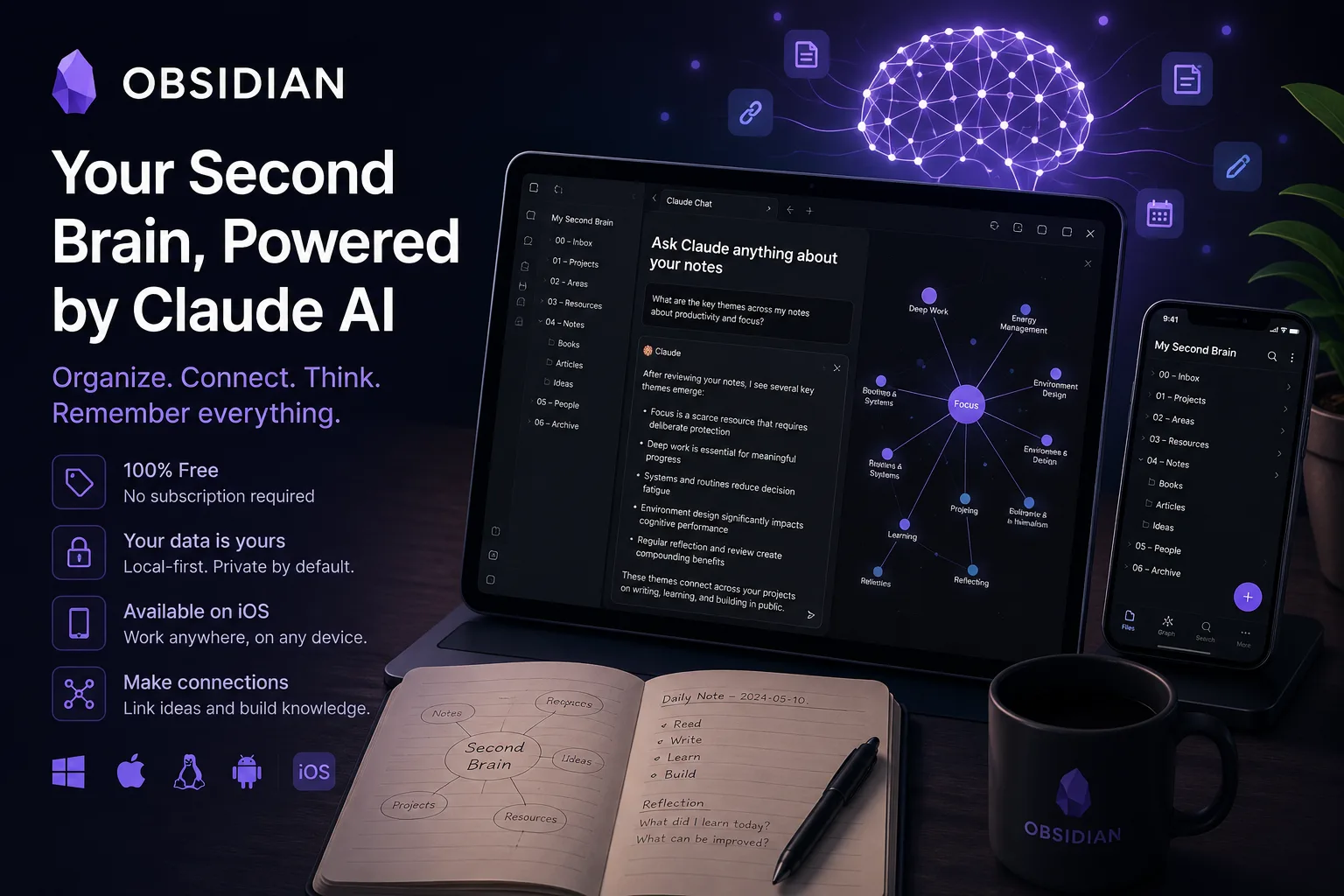
Obsidian is a note-taking and knowledge-management app built around a simple but durable idea: your notes live as plain text Markdown files, stored locally, and connected through links. The official site describes it as a free and flexible app for private thoughts, with local storage, offline access, open file formats, themes, plugins, graph views, Canvas, and optional paid services for syncing and publishing.
That makes Obsidian especially interesting as the foundation for a personal second brain. It is free to start with, does not require a subscription for the core app, and is available on iOS as well as desktop platforms. Used together with Claude AI, Obsidian can become more than a place to store notes: it can become a structured thinking environment where raw captures, daily logs, research fragments, project notes, reading highlights, and AI-assisted synthesis all live in one long-term knowledge base.
Free, but not open source — and why that is survivable
The word “free” in this post’s title is precise, and worth pinning down from the licence page itself rather than from reputation, because the two are easy to conflate.
Obsidian’s licence states:
“Obsidian is free for all purposes, including personal, commercial, and non-profit use.”
Personal, commercial, non-profit, educational and government use are all listed as free. The Commercial Licence is explicitly optional — “Commercial Licenses are optional licenses that help keep Obsidian 100% user-supported” — so using Obsidian at work requires no payment. That is a clearer position than many tools in this category, and it changed in users’ favour rather than against them.
What the licence does not say is that Obsidian is open source. It says the opposite in substance:
“We own and reserve rights to our content, including text, images, and code in the app.”
So Obsidian is proprietary software offered free of charge. For a tool you intend to put a decade of thinking into, that distinction normally matters a great deal — a closed application can change its terms, its platform support or its existence, and you have no fork to fall back on.
The reason it is survivable here is the one architectural decision that defines the product. The licence also states: “Your data is saved locally on your device and is not sent to our server.” Your vault is a folder of Markdown files on your own disk. If Obsidian vanished tomorrow, every note would remain readable in any text editor, and a dozen other applications could open the same directory.
That is the right way to think about the risk: the application is proprietary and the data is not. Obsidian’s lock-in is near zero despite being closed source, which is a materially different situation from a closed app with a proprietary database. The practical implication is to keep it that way — prefer plain Markdown and avoid plugins that store meaningful state outside your notes, because every such plugin converts a little of your freedom back into dependence.
Two paid add-on services exist, Sync and Publish, and the licence notes you “only need an account for payments or add-on services.” Publish data is hosted on Obsidian’s servers and Sync data is described as encrypted. Neither is required to use the app.
Why the second brain use case matters
A second brain is not just a folder full of notes. It is a personal system for capturing ideas, clarifying them, connecting them, and retrieving them when they become useful. The promise is simple: instead of trusting memory alone, you build a durable external thinking space that accumulates value over time.
Obsidian fits this role because it treats notes as connected objects rather than isolated documents. A note about a book can link to a note about a project. A daily note can link to a meeting, a person, a decision, and a future article idea. A research note can point to a source, a quote, a question, and a draft argument. Over months and years, those links become a map of how your own thinking develops.
The practical difference is important. Many productivity tools are optimized for task completion: checklists, due dates, assignments, dashboards. Obsidian is better understood as a thinking substrate. It is where thoughts can begin messy, remain searchable, become linked to other thoughts, and later be reshaped into decisions, outlines, drafts, plans, or reusable knowledge.
This is also where Claude AI can be useful. Claude should not replace the vault. The vault is the long-term memory; Claude is the temporary reasoning partner. Obsidian stores the raw material and the history. Claude helps turn selected parts of that material into summaries, questions, outlines, comparisons, decision memos, taxonomies, or next actions.
A strong second brain workflow keeps those roles separate:
- Obsidian is the source of record.
- Claude is the assistant for reflection and transformation.
- Markdown files remain portable and readable outside any one AI tool.
- AI output is reviewed, edited, and stored back in the vault only when it adds value.
- Sensitive notes are shared with AI only deliberately, not automatically.
That separation is one of the main reasons Obsidian and Claude make a compelling pair. You can use AI without giving up ownership of your knowledge system.
What Obsidian brings to personal knowledge management
Obsidian’s central strength is that it starts from plain text. Notes are stored as local Markdown files, which means a vault can remain useful even if you later change tools. This is a major advantage for a second brain, because a second brain is supposed to last. A system built around proprietary formats or cloud-only access can become fragile over time. A folder of Markdown files is easier to back up, inspect, version, move, and process.
The official Obsidian site emphasizes privacy and local storage: notes are kept on your device, available offline, and not readable by Obsidian. For a second brain, that matters because the most valuable notes are often personal, unfinished, contradictory, or sensitive. The tool should let you write before you are ready to publish, explain, or defend an idea.
Obsidian also supports several patterns that are particularly useful for second brain work:
- Links between notes, so ideas can connect across projects and time.
- Backlinks, so each note can show where it is referenced.
- Graph view, so relationships can be explored visually.
- Tags, folders, and properties, so different organizational styles can coexist.
- Canvas, for mapping ideas, research, diagrams, and project structures spatially.
- Community plugins and themes, for adapting the environment to different workflows.
- Mobile apps, including iOS, so capture and review are not limited to a desk.
- Optional Sync and Publish services, for users who want encrypted cross-device sync or a web-published knowledge base.
For a second brain, the key is not to use every feature. The key is to choose enough structure that notes remain retrievable, while avoiding so much structure that writing becomes slow. Obsidian is flexible enough to support both minimal and elaborate systems. A simple vault can begin with daily notes, project notes, and topic notes. A more advanced vault can add templates, properties, recurring reviews, reading pipelines, task plugins, or custom dashboards.
The best starting point is often modest. Create notes quickly. Link them when a connection is obvious. Add structure only when repeated friction appears. A second brain should grow from real use, not from an abstract taxonomy designed before any notes exist.
How Claude AI changes the workflow
Claude AI is most useful in a second brain workflow when it helps you think with your own material. That does not mean uploading an entire vault and hoping for magic. A better pattern is selective, intentional collaboration.
For example, you might copy a set of Obsidian notes about a topic into Claude and ask for a synthesis. Claude can help identify recurring themes, unresolved questions, contradictions, missing context, and possible next steps. The result can then become a new Obsidian note: not as an unquestioned answer, but as an edited reflection that links back to the source notes.
This creates a productive loop:
- Capture raw observations in Obsidian.
- Let notes accumulate around a project, question, or domain.
- Select a meaningful subset of notes.
- Ask Claude to summarize, structure, challenge, or reframe the material.
- Review the output critically.
- Save only the useful parts back into Obsidian as a new note.
- Link that note to the original notes, sources, projects, and decisions.
In this model, Claude becomes a thinking amplifier. It can help turn scattered notes into a briefing, a messy research dump into an outline, a long meeting transcript into decisions and follow-ups, or a collection of reading notes into a position paper. It can also act as a debate partner by asking what assumptions are hidden in your notes, which claims need evidence, or where two ideas appear to conflict.
For a second brain, the most valuable Claude prompts are often not commands to produce final prose. They are prompts that improve understanding. Useful requests include:
- “Find the recurring themes in these notes.”
- “Turn these fragments into a structured map of concepts.”
- “List the open questions that remain unresolved.”
- “Separate facts, interpretations, and possible actions.”
- “Suggest links between these notes and topics I should create.”
- “Rewrite this note as a durable evergreen note.”
- “Create a decision memo from these project notes.”
- “Challenge the assumptions in this argument.”
- “Convert this reading note into key claims, evidence, and follow-up questions.”
The output should still be treated as draft material. Claude can produce plausible structure, but it does not automatically know what is true, what matters to you, or what belongs in your long-term knowledge base. The human step of selection remains essential.
A practical Obsidian-plus-Claude second brain system
A workable setup can stay simple. You do not need a complex framework before the system is useful. One practical structure is to divide the vault into a few high-level areas:
- Inbox: quick captures, pasted fragments, mobile notes, and temporary ideas.
- Daily notes: logs of what happened, what you thought about, and what needs follow-up.
- Projects: active work with outcomes, decisions, resources, and next actions.
- Areas: ongoing responsibilities or interests, such as health, business, learning, writing, finance, or home.
- Resources: durable reference notes, reading notes, concepts, people, tools, and source material.
- Archive: inactive projects and older material kept for search and context.
This structure is compatible with a second brain approach because it separates active work from long-term knowledge. Projects have endpoints. Areas continue. Resources accumulate. Daily notes capture reality as it happens.
Claude can be inserted into each layer.
For Inbox notes, Claude can help clean up rough captures. A quick voice note, web clipping, or thought fragment can be turned into a clearer summary with suggested tags and links. The important point is to avoid letting AI polish everything prematurely. Some rough notes should remain rough until they prove useful.
For Daily notes, Claude can help extract patterns. At the end of a week, you can paste selected daily notes and ask for recurring themes, decisions made, open loops, and ideas worth promoting into permanent notes. This turns journaling into a knowledge-creation process rather than a chronological archive.
For Project notes, Claude can help create status updates, decision logs, meeting summaries, risk lists, and next-action plans. This is especially useful because project notes often contain messy context spread across many days. Claude can compress that context into a readable snapshot, while Obsidian keeps the underlying history.
For Resource notes, Claude can help transform highlights and excerpts into evergreen notes. Instead of keeping a long pile of copied passages, you can ask Claude to identify the main claims, then rewrite them in your own words and link them to existing concepts. You should still verify the meaning against the original source before saving the result.
For Archive notes, Claude can help mine old material. A dormant project may contain useful decisions, templates, checklists, or lessons learned. By resurfacing those patterns, Claude can help the second brain become more valuable over time.
The strongest version of the system is not “Obsidian with AI sprinkled on top.” It is a deliberate human-AI loop where Obsidian stores the memory and Claude helps with periodic reflection.
Why free, subscription-free access matters
One of Obsidian’s most important advantages is that the core app is free without limits. The pricing page describes the app as free without sign-up, with optional add-on services for syncing and publishing. That matters for a second brain because the barrier to starting is low. A user can install Obsidian, create a vault, and begin writing without first committing to a subscription.
This is not just a pricing detail. It changes the psychology of adoption. A second brain is a long-term habit, not a one-week trial. If the core tool requires a subscription from day one, users may feel pressure to decide whether the system is worth paying for before they have actually developed the habit. Obsidian lets the habit come first.
It also keeps the architecture flexible. You can use Obsidian as a fully local writing and thinking environment. If you later want official encrypted sync across devices, Obsidian Sync is available as a paid add-on. If you want to publish notes as a website or digital garden, Obsidian Publish is available as another paid service. But neither is required for the core second brain experience.
This is especially relevant when pairing Obsidian with Claude AI. Claude may be a separate service with its own availability, limits, and terms. Obsidian remains the local home of the knowledge base. That means the second brain does not depend entirely on the AI layer. If you stop using Claude, change AI tools, or switch between models, the vault still exists as Markdown.
The iOS app strengthens this further. A second brain fails when capture is inconvenient. Ideas happen away from the desk: on a walk, in a train, before a meeting, while reading, while cooking, or just before sleep. Obsidian Mobile makes it possible to capture and review notes on an iPhone or iPad, keeping the system close to the moment of thought.
For many users, the most realistic second brain is not the most elaborate one. It is the one they can actually use every day. Free access, local files, and mobile availability all support that.
Adoption notes for a Claude-assisted vault
The biggest implementation mistake is trying to design the perfect vault before writing useful notes. A better approach is to start with a small number of repeatable workflows.
Begin with capture. Create a daily note and use it as the default place for thoughts, links, quotes, tasks, and observations. Do not worry too much about organization at first. The first goal is to make the vault trustworthy as a capture system.
Next, add linking. When a daily note mentions a person, project, book, company, tool, or concept that appears repeatedly, create a dedicated note and link to it. This turns repeated attention into structure. Over time, the vault begins to reveal what actually matters to you.
Then add review. Once a week, select a few daily notes and project notes. Paste them into Claude and ask for a weekly synthesis: key events, open loops, decisions, insights, and notes worth turning into durable resources. Save the edited result in Obsidian as a weekly review note.
After that, add evergreen notes. When an idea appears repeatedly, create a note that states the idea clearly in your own words. Link it to examples, sources, projects, and related concepts. Claude can help draft these notes, but the final version should feel like your own thinking, not generic AI prose.
Finally, add retrieval habits. Before starting a new project, search the vault. Before asking Claude a broad question, gather relevant notes from Obsidian. Before writing a document, pull together linked notes and ask Claude to help organize the argument. This reverses the usual AI workflow. Instead of asking the model to invent from scratch, you ask it to work with your accumulated knowledge.
A useful Claude-assisted review prompt might ask the model to produce four outputs: a concise summary, a list of unresolved questions, suggested new Obsidian links, and a short “next review” checklist. That kind of output fits naturally back into a vault.
The most important adoption rule is to keep provenance visible. If a note is based on source material, link to the source. If a section came from Claude, say so in the note or keep it in a draft area until reviewed. A second brain becomes more valuable when you can tell the difference between observation, source, interpretation, and AI-assisted synthesis.
Six ways a vault goes wrong
Obsidian is flexible, but flexibility can become a trap. Users can spend too much time adjusting themes, plugins, templates, folder structures, tags, and dashboards. For a second brain, the measure of success is not how advanced the setup looks. It is whether the system helps you capture, connect, retrieve, and develop ideas.
There is also a learning curve. Linking notes, working in Markdown, managing files, and thinking in terms of a vault may feel unfamiliar to users who are used to conventional document apps. Obsidian can be simple, but it becomes most powerful when the user develops a personal method.
The Claude workflow has its own limits. Claude can help summarize and restructure notes, but it can also miss nuance, flatten uncertainty, overstate conclusions, or introduce language that sounds more finished than the underlying thinking deserves. For knowledge work, this is risky. A polished paragraph can hide a weak idea. The user should remain the editor, not merely the approver.
Privacy also requires judgment. Obsidian stores notes locally by default, but using Claude involves sending selected content to an external AI service. That may be acceptable for public research notes or non-sensitive drafts, but it may not be appropriate for private journals, confidential business material, personal data, legal issues, medical information, or client work. A safe workflow deliberately filters what is shared.
Sync is another area to think through. Obsidian’s core app does not require a subscription, but official Sync is a paid add-on. Some users may choose other file-syncing approaches, while others may prefer Obsidian Sync for its integration and encryption claims. The right choice depends on device mix, threat model, budget, and tolerance for configuration.
Finally, Obsidian is not automatically a task manager, CRM, writing studio, research database, and publishing platform all at once. It can support many of those roles, especially with plugins, but each added role increases complexity. A second brain works best when its purpose remains clear: make your thinking easier to capture, connect, revisit, and improve.
The division of labour that works
Obsidian is one of the strongest foundations for a second brain because it combines local-first storage, Markdown files, linking, graph-based exploration, mobile access, and a generous free core app. It does not force users into a subscription just to begin building a personal knowledge base, and it does not hide notes inside a format that only one service can understand.
Its fit with Claude AI is particularly compelling when the relationship is framed correctly. Obsidian should be the durable memory. Claude should be the temporary thinking partner. Used together, they can support a thoughtful loop: capture in Obsidian, synthesize with Claude, review critically, and store the refined result back in the vault.
The best users for this combination are writers, researchers, founders, consultants, students, managers, developers, and curious generalists who want their notes to compound over time. It is also well suited to people who want AI assistance without turning their entire knowledge system into an AI-owned workspace.
Obsidian is not the easiest possible notes app, and it is not automatically organized for you. But that is also part of its appeal. A second brain should reflect the mind that uses it. Obsidian gives you the raw materials: local files, links, plugins, mobile access, and a flexible workspace. Claude can help you reason over those materials. The human still decides what is worth keeping.
For related reading, see our posts on Open Notebook, a private AI-powered research notebook, and Microsoft MarkItDown for converting documents into the Markdown format vaults are built on.
The finding: Obsidian’s licence makes it free for commercial use with the paid licence explicitly optional, while reserving all rights to the app’s code — so it is free software in the price sense only. That is tolerable precisely because your vault is plain Markdown on your own disk, and it stays tolerable only if you resist plugins that keep your data anywhere else.
Primary link
Learn more at: https://obsidian.md/