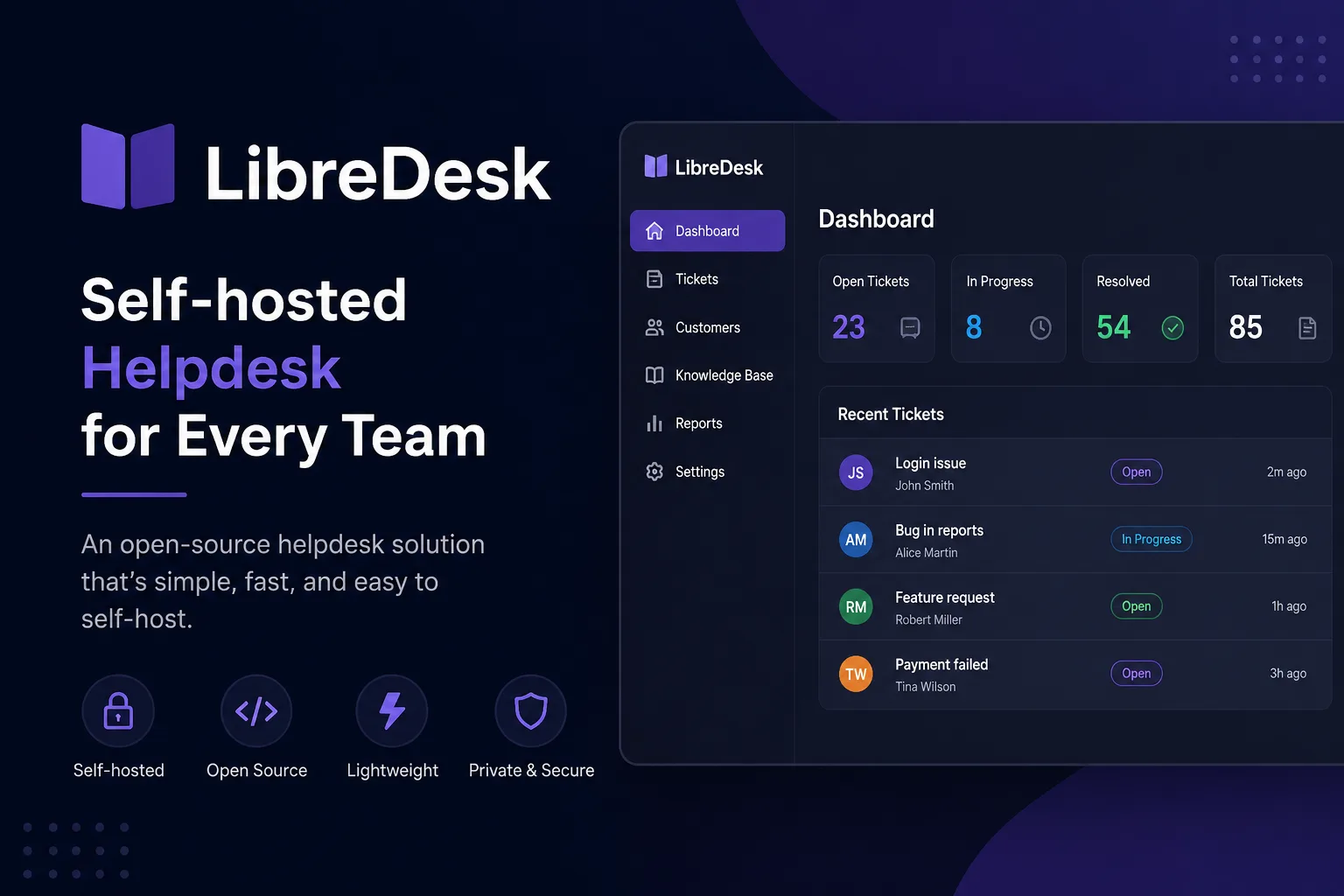
Libredesk is “Open source, self-hosted customer support software for email, live chat, and WhatsApp.” It is AGPL-3.0 licensed — we read the LICENSE file to confirm, because the README does not state it — and it covers the full shape of a help desk rather than a slice of one.
The reason to pay attention is a single word in that description: WhatsApp.
WhatsApp is the differentiator, and it has a prerequisite
Most self-hosted help desks give you email and a chat widget. Libredesk adds WhatsApp through the Meta Cloud API, which is where the interesting detail lives.
The Meta Cloud API is not a channel you self-host. It is Meta’s product, which means that even though Libredesk runs entirely on your server, the WhatsApp channel requires a Meta business account, an approved WhatsApp Business API setup, and acceptance of Meta’s messaging rules — including its conversation-window and template-message constraints, which determine when you may initiate a conversation at all.
So the honest framing is: Libredesk self-hosts the desk, not the channel. Your email and live chat are genuinely yours. Your WhatsApp traffic goes through Meta’s infrastructure under Meta’s terms, the same as it would with a commercial help desk. For many teams that is entirely acceptable and is precisely why they want the feature — but it is not data sovereignty, and anyone choosing Libredesk for independence should know which channel is the exception.
If WhatsApp is the reason you are evaluating it, budget time for Meta’s onboarding rather than for Libredesk’s.
What else is in the box
The feature list is broader than a project this size usually manages:
- Inbox — shared inbox across the three channels, with teams, tags, statuses, custom attributes, snoozing and search.
- Help centre — a multilingual, searchable knowledge base.
- AI — an assistant for live chat that can escalate to a human agent, plus an agent copilot for drafting replies and summarising conversations.
- Workflow — rule-based automations, saved-reply macros, auto-assignment by capacity or custom criteria, and SLA tracking with at-risk alerts.
- Administration — role-based permissions, SSO via Google, Microsoft or any OIDC provider, activity logs, and an API with webhooks.
Two of those deserve emphasis because they are usually the paid tier elsewhere. SSO via arbitrary OIDC is included, not gated — compare that with backend platforms in this category where SSO is the first thing behind a paywall. And SLA tracking with at-risk alerts is the feature that distinguishes a help desk from a shared mailbox; having it in the free, self-hosted product is unusual.
The AI features are the ones to evaluate rather than assume. “Escalate to agents” is the correct design — a bot that cannot hand off is a liability — but how well it decides when to hand off is a question only your own traffic answers.
Three ways to install, and what each implies
The README documents all three, and the choice tells you something about your commitment level.
Railway — a one-click deploy that provisions the app, Postgres and Redis. The fastest route, and the one where you are renting rather than owning.
Docker Compose — download the compose and sample config files, copy the config, then:
docker compose up -d
docker exec -it libredesk_app ./libredesk --set-system-user-password
The UI comes up on port 9000. Note that second command: the initial admin password is set out-of-band through the container rather than through a web wizard. That is the right design — it is the pattern that avoids an unauthenticated setup page being reachable on a public port — and it is also the step people skip and then wonder why they cannot log in.
Binary — download the release, edit the config, then ./libredesk --install to set up the database, set the system password the same way, and run ./libredesk. No container runtime needed.
One genuine gap in the documentation: no Postgres or Redis versions are specified. For a self-hosted application with a relational database behind it, that is the detail you want before you reuse an existing Postgres instance. Assume a recent major version and test on a throwaway database first.
What the README is silent about
Worth stating plainly rather than guessing: the README makes no claim about production readiness, stability or beta status, and it names no licence. Both facts are observations, not criticisms — we found AGPL-3.0 in the LICENSE file, and the absence of a stability statement simply means the project has not made one.
For a support desk that will hold your customer conversation history, the practical response is the ordinary one: back up the Postgres volume from day one, because a help desk’s value is entirely in its history. The same sidecar approach that works for any compose stack — docker-volume-backup, with the container stopped during the snapshot — applies here.
Who it is for
A small team currently running support out of a shared mailbox, that needs WhatsApp and would rather not pay per agent per month. The AGPL licence means it is genuinely yours to modify, which is the opposite of the trend in self-hosted business software — DocuSeal takes the same approach on the document-signing side, while much of the backend category has drifted to source-available licences with seat caps.
The finding: Libredesk is AGPL-3.0 with SSO and SLA tracking included rather than gated, which is a better free tier than most of its commercial equivalents. The asterisk is WhatsApp — that channel runs through Meta’s Cloud API under Meta’s terms, so the “self-hosted” claim holds for the desk and not for the most interesting channel on it.
Primary link
Learn more at: https://github.com/abhinavxd/libredesk