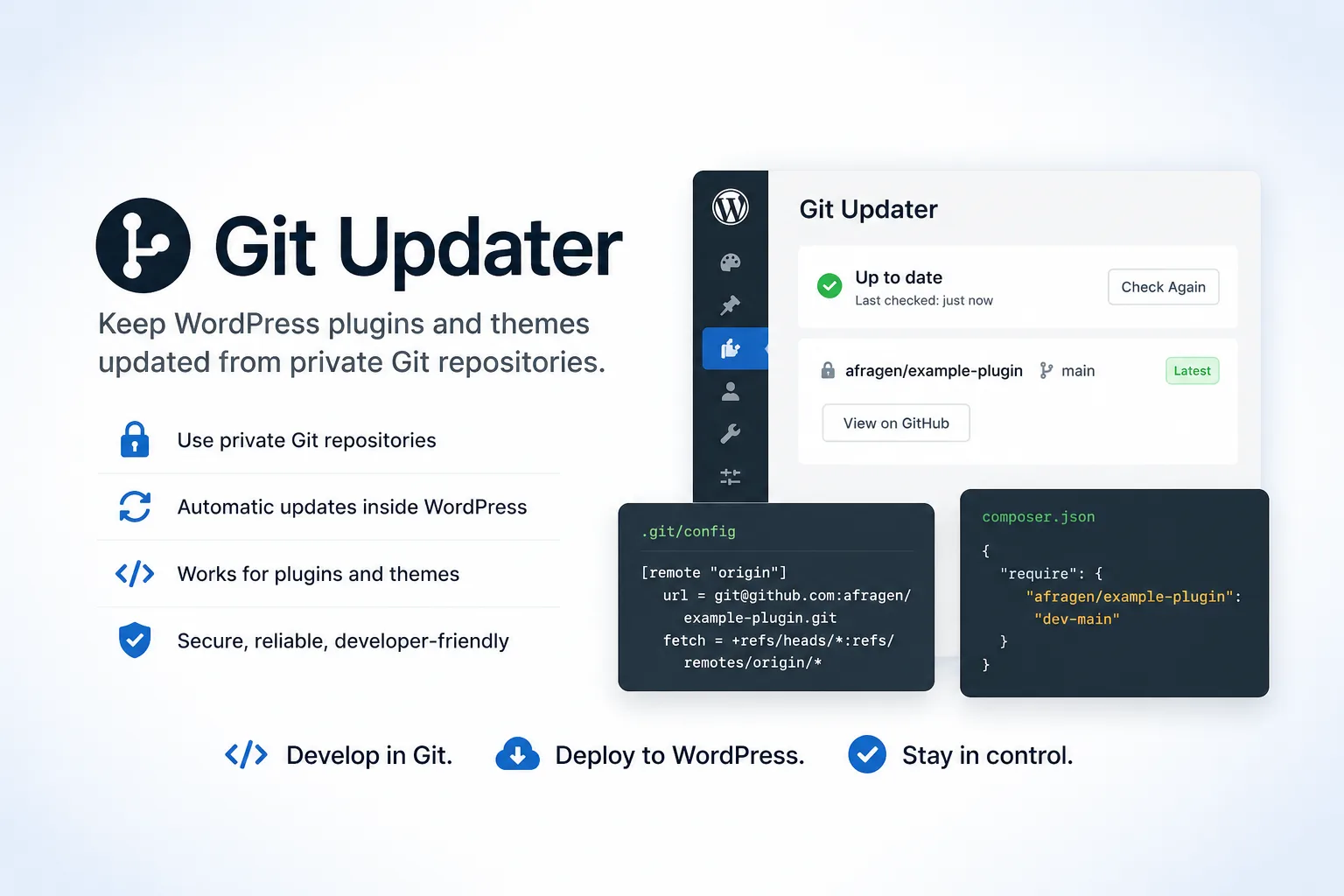
Git Updater is a WordPress plugin for updating plugins, themes, and language packs from Git-hosted repositories. The project describes support for GitHub-hosted WordPress plugins and themes in its core plugin, with additional API plugins for Bitbucket, GitLab, Gitea, and Gist.
In practical terms, Git Updater is useful when a WordPress project is developed and released through a source-control workflow rather than only through the WordPress.org plugin or theme directory. It gives developers and site operators a way to connect repository metadata to WordPress update checks, while still working inside familiar WordPress administration and WP-CLI patterns.
Why this matters for WordPress projects
The WordPress.org repository is important, but it is not the only place where WordPress software can live. Teams often keep private client plugins, commercial extensions, internal themes, or experimental builds in Git repositories. Requiring every update path to go through WordPress.org can be a poor fit for those cases.
Git Updater matters because it treats the Git repository as the update source. That can make sense when a project needs private distribution, faster iteration, a branch-based release workflow, or a workflow connected to GitHub, GitLab, Bitbucket, Gitea, or a self-hosted Git service.
How it works in practice
Git Updater relies on headers inside the plugin or theme so WordPress can discover where updates should come from. For a GitHub-hosted plugin, the main plugin file can include a repository pointer like this:
/**
 * Plugin Name: Example Client Plugin
 * Description: A private plugin maintained outside the WordPress.org directory.
 * Version: 1.2.0
 * Author: Example Studio
 * GitHub Plugin URI: https://github.com/example/example-client-plugin
 * Primary Branch: main
 */
For a theme, the equivalent pointer belongs in style.css:
/*
Theme Name: Example Client Theme
Version: 1.2.0
GitHub Theme URI: https://github.com/example/example-client-theme
Primary Branch: main
*/
The repository URL should point to the owner and repository, not to a .git URL. Their documentation also notes that Primary Branch: main is useful when the production branch is main instead of the historical master default.
Capabilities described by the project
The repository describes Git Updater as a plugin for automatic updates of GitHub-hosted WordPress plugins, themes, and language packs, with add-on API plugins for other Git hosts. Its knowledge base also documents branch switching, remote installation, versions and branches, REST API endpoints, developer hooks, self-hosted or enterprise Git hosts, user build processes, and WP-CLI support.
A practical WP-CLI installation flow can look like this:
wp plugin install https://github.com/afragen/git-updater/archive/master.zip --activate
wp plugin install-git https://github.com/example/example-client-plugin --branch=main --github
For themes, the documented command pattern is similar:
wp theme install-git https://github.com/example/example-client-theme --branch=main --githubGit Updater also documents branch switching commands, which can be useful for controlled testing or staging workflows:
wp plugin branch-switch example-client-plugin develop
wp theme branch-switch example-client-theme develop
These examples should be adapted to the actual repository, branch name, and hosting provider. For private repositories, the project documents token options, but tokens should be handled through the safest available operational process rather than pasted into shell history on shared systems.
When it is a good fit
Git Updater is especially interesting for developers and agencies that maintain plugins or themes outside the public WordPress.org ecosystem. That includes private client code, internal business plugins, premium extensions, site-specific themes, and projects where releases are already managed through Git tags, branches, or release assets.
It also fits teams that want WordPress update behavior without publishing a plugin publicly. The WordPress.org directory remains a good distribution channel for public community plugins, but Git Updater gives another route when the governance, licensing, support, or privacy model points elsewhere.
Adoption notes for developers
A clean repository layout matters. Git Updater’s usage documentation emphasizes that plugin and theme slugs should match their folder or directory slugs and be lowercase. It also notes that the main plugin file or a theme’s style.css file should be in the root of the directory.
A minimal workflow is:
- Keep the plugin or theme in a Git repository.
- Add the required
GitHub Plugin URIorGitHub Theme URIheader. - Add
Primary Branch: mainwhen the production branch ismain. - Tag or package releases consistently if the project depends on release assets.
- Test update behavior on a staging WordPress installation before relying on it in production.
For projects that might collide with a WordPress.org slug, Git Updater documents filters for overriding or ignoring WordPress.org update sources. WordPress 5.8 and later also introduced the Update URI header, which can help avoid unintended update matches from WordPress.org.
Caveats and limits
Git Updater does not remove the need for release discipline. The repository name, slug, branch, version number, and packaged files still need to line up. If a release asset contains a different version than the repository metadata suggests, the project documentation warns that update loops can happen.
There are also provider-specific details. Their documentation describes additional API plugins for Bitbucket, GitLab, Gitea, and Gist, and notes that some private or release-asset scenarios require tokens or paid provider tiers. For production sites, credentials, branch choices, and release assets should be tested before wide rollout.
Editorial verdict
Git Updater is a practical bridge between WordPress operations and Git-based development. It is not a replacement for the WordPress.org directory when public discovery, community distribution, and directory policies are the goal. It is more compelling when a project already belongs in Git first: private plugins, agency-maintained client code, controlled theme releases, self-hosted Git infrastructure, or premium distribution.
The strongest reason to care is control. Instead of treating WordPress.org as the only update channel, Git Updater lets a team build a workflow around the repository where the code is actually maintained. Used carefully, that can make WordPress updates feel less like a separate publishing chore and more like part of the normal development lifecycle.
Primary link
Learn more at: https://github.com/afragen/git-updater