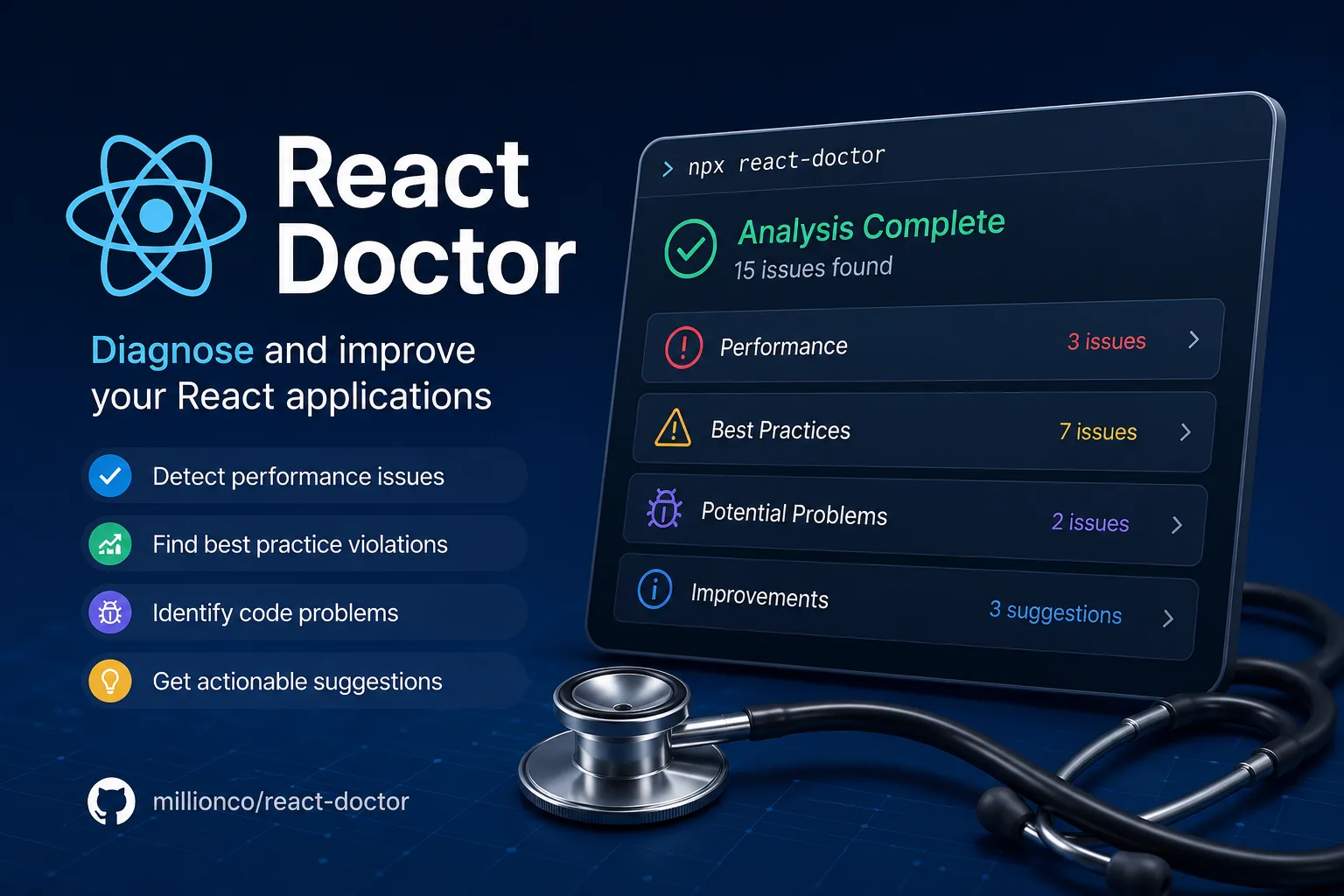
React Doctor’s description is one sentence and the important word is the second one: “React Doctor runs deterministic checks on your code.” It reports issues across state and effects, performance, architecture, security, accessibility and maintainability, and you run it without installing anything:
npx react-doctor@latestThe design is interesting and the licence is not what the name on npm suggests.
“Modified MIT” is doing real work
The npm registry lists react-doctor at version 0.9.17 with the licence field "SEE LICENSE IN LICENSE" — the standard signal that no SPDX identifier applies. The file itself opens:
“Modified MIT License”
“Copyright (c) 2026 Million Software, Inc.”
The body is verbatim MIT through the warranty disclaimer. Then:
“Our only modification is that the following uses require prior written permission from the copyright holder.”
Two uses are named. The second is conventional for a company-backed tool — you may not sell it or offer it “as a paid, hosted, or managed product or service (including any commercial API or SaaS offering) whose value derives entirely or substantially from the Software.”
The first is the one worth reading twice:
“Using the Software, its source code, or any derivative works thereof, in whole or in part, as training, fine-tuning, or evaluation data, or as input to any automated pipeline for training or improving any machine learning model or AI system.”
That is an explicit prohibition on using react-doctor as training or evaluation data without permission. It appears in a tool that ships an agent skill and advertises support for Claude Code, Cursor, Codex and OpenCode — so the project is happy for agents to run it and not for anyone to train on it.
Whatever you think of such clauses, two practical points follow. React Doctor is source-available, not MIT, despite the file’s title — a licence calling itself “Modified MIT” is not MIT, and automated scanners will flag it. And if you are assembling a benchmark or evaluation suite for coding agents, this repository is specifically excluded unless you write to founders@million.dev.
Why “deterministic” is the selling point
The word is not decoration. It is the distinction between this tool and asking a model to review your React.
A deterministic check gives the same answer every time for the same input. That makes it suitable for CI, where a flaky gate is worse than no gate, and it makes failures explainable — you can point at the rule. A language model asked “are there problems in this component?” produces useful output and different output each time, which is fine for exploration and unusable as a merge requirement.
React Doctor positions itself on the first side of that line, and the categories it covers are the ones where rules genuinely exist: effect dependency mistakes, re-render patterns, accessibility attributes, obvious security footguns. These are not matters of taste. There is a right answer and a linter can find it.
Rules and scan settings live in doctor.config.ts, so the check set is yours to shape rather than fixed.
The agent skill is the more interesting half
Three commands, three different intentions:
npx react-doctor@latest              # scan now
npx react-doctor@latest install      # install the agent skill
npx react-doctor@latest ci install   # set up CI scanning
The middle one is the one to think about. As the README puts it: “Install the skill to help your coding agent find and fix React issues.”
This is the pattern worth taking away regardless of whether you adopt this particular tool. An agent generating React code has no reliable way to check its own work — it can reread what it wrote, which catches little. Giving it a deterministic checker to invoke changes the loop: write, scan, read the specific violations, fix, scan again. The agent is no longer grading its own homework.
That is a better use of an agent’s time than asking it to be careful, and it is why “lint as a tool the agent can call” is becoming the standard way to make generated code reviewable. The same logic underlies design-focused skills like taste-skill — encode the standard once, then let the agent check against it instead of guessing.
Two things to know before running it
It phones home by default. The README states the CLI “collects crash reports and anonymous usage data.” Opt out with:
npx react-doctor@latest --no-telemetryDisclosed telemetry is the honest kind, and it is still on unless you turn it off. If you run this in CI across a client’s codebase, set the flag.
It is pre-1.0. Version 0.9.17 means the rule set, the configuration format and the output shape can all change. Pin the version in CI rather than using @latest there, or a rule added upstream will fail a build that passed yesterday for reasons unconnected to your commit. @latest is right for an interactive scan and wrong for a gate.
Who should run it
Any React codebase that has grown past the point where one person remembers all of it, and particularly any codebase where agents are writing components. The install cost is one npx invocation, which makes trying it close to free — run it once and see whether the findings are real before wiring it into CI.
It is not a replacement for ESLint and TypeScript; it is a React-specific layer above them. And it will not tell you whether your architecture is right, only whether it contains known mistakes — for the generation side of that loop, a curated component source such as 21st.dev pairs naturally with a checker that verifies the result.
The finding: react-doctor’s value is being deterministic — a checker an agent can call and a CI job can trust — and its licence is a “Modified MIT” that requires written permission before using the code as training or evaluation data. Pin the version in CI, pass --no-telemetry if that matters to you, and read the licence before you add it to a benchmark.
Primary link
Learn more at: https://github.com/millionco/react-doctor