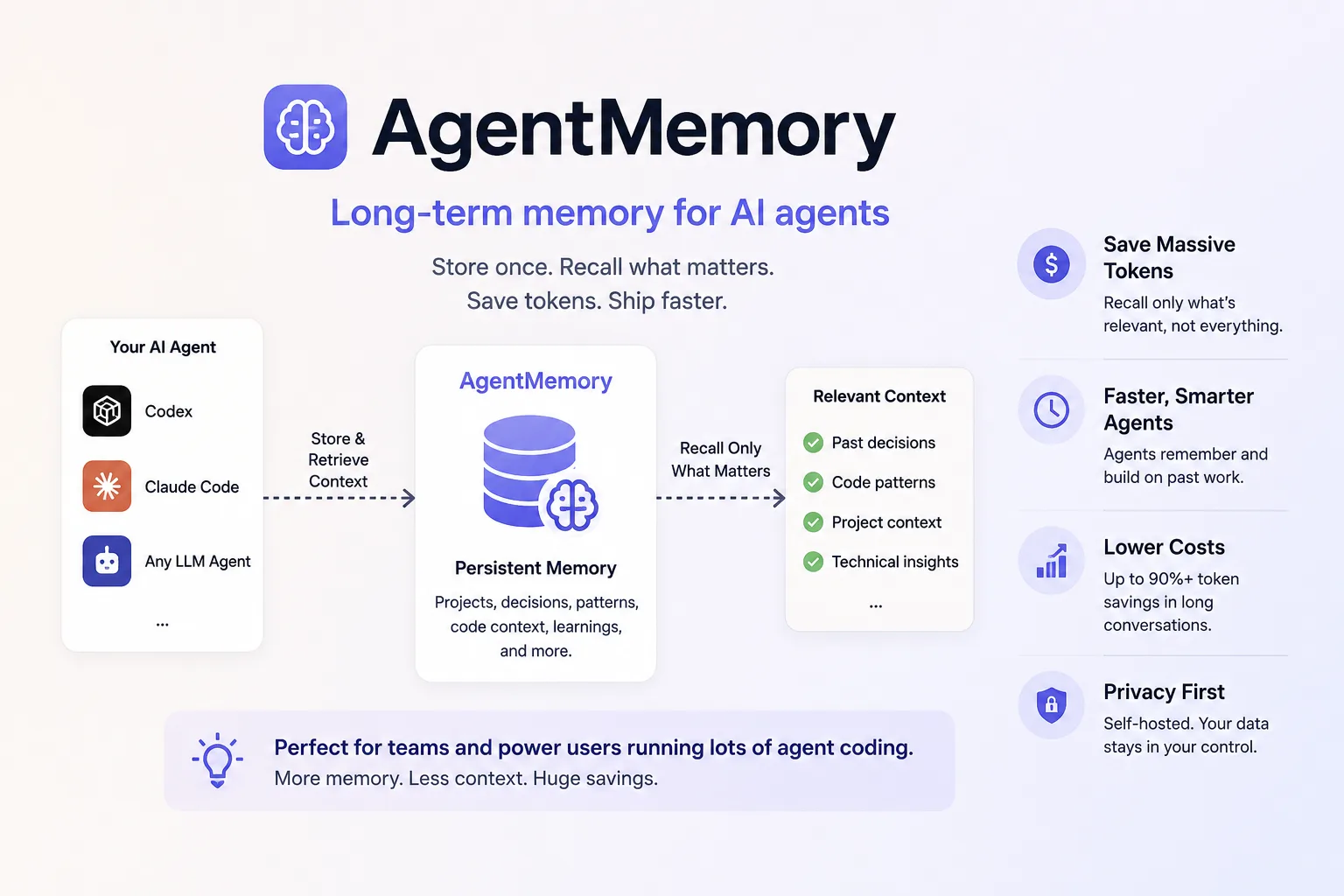
agentmemory’s pitch is a promise most memory tools make: “Your coding agent remembers everything. No more re-explaining.” It is Apache-2.0, installs with one npx command, and advertises a headline number on its own badge — 95.2% retrieval R@5.
Unusually, the repository contains the benchmark that produced it. So instead of taking the number or dismissing it, we read the methodology — and the most interesting thing in there is a row the project did not have to publish.
The benchmark, and the competitor that beats it
The 95.2% figure comes from LongMemEval-S, a named academic benchmark (arXiv 2410.10813, ICLR 2025) rather than a self-designed test. The setup is documented: 500 questions, ~48 sessions each, ~115K tokens; the metric is recall_any@K; embeddings are local all-MiniLM-L6-v2; and critically, “No LLM in the loop: Pure retrieval evaluation, no answer generation or judge.”
That last line is what makes the number meaningful. A retrieval score with no model generating answers cannot be flattered by a generous judge.
Then the results table, reproduced as the repository publishes it:
| System | R@5 | R@10 | NDCG@10 |
|---|---|---|---|
| agentmemory BM25+Vector | 95.2% | 98.6% | 87.9% |
| agentmemory BM25-only | 86.2% | 94.6% | 73.0% |
| MemPalace raw (vector-only) | 96.6% | ~97.6% | — |
A competitor wins the headline metric. agentmemory publishes it anyway, in its own repository, next to the badge quoting its own 95.2%. It leads at R@10 and reports NDCG and MRR where the comparison has no figures — but it did not have to include that row at all, and including it is the strongest available evidence that the rest of the numbers are what they say.
The row that changes your installation
The second line of that table is the one with practical consequences. BM25-only scores 86.2% at R@5 — nine points below the advertised number.
Now read the install documentation: “Keyless mode disables vector embeddings. memory_recall (the mem::search path) uses BM25.”
Put those together and the conclusion is unavoidable: the default keyless installation is the 86.2% configuration, not the 95.2% one. The headline requires embeddings, and embeddings require either a provider key or switching on the local model:
# in ~/.agentmemory/.env
EMBEDDING_PROVIDER=local
The first request then downloads Xenova/all-MiniLM-L6-v2 and runs inference locally afterwards — free, on-device, and the same model the benchmark used. That one line is the difference between the two rows in the table, and it is the single highest-value configuration change available.
The documentation is honest about the symptom, too: the bundled demo’s database performance optimization query “is intentionally semantic and can return zero until an embedding provider is configured.” If your first impression of agentmemory was that recall did not work, that is probably what you hit.
What it puts on your machine
Worth knowing before installing, because it is more than a library.
The runtime uses four ports — 3111 for REST and MCP over HTTP, 3112 for engine streams, 3113 for the viewer, and 49134 for a worker WebSocket. It is built on a separate component, the iii engine, at a pinned version (v0.22.1), which the installer fetches on macOS and Linux.
State lives in a platform data directory: ~/Library/Application Support/agentmemory on macOS, $XDG_DATA_HOME/agentmemory or ~/.local/share/agentmemory on Linux, %APPDATA%\agentmemory on Windows. Override it with --data-dir or AGENTMEMORY_DATA_DIR, and the documentation is emphatic that you “reuse the same value on every restart” — a sensible warning, since pointing a memory system at a new directory silently gives you an empty one.
Two requirements that will catch people: Node.js 20+, and the install needs curl, a POSIX sh and tar, which “minimal images such as node:20-slim may not include.” Native Windows requires extracting iii.exe manually; WSL2 or Docker Desktop are the smoother paths.
The governance files are a signal
For a project of this size the repository root is unusually formal: GOVERNANCE.md, MAINTAINERS.md, ROADMAP.md, SECURITY.md, DESIGN.md, CODE_OF_CONDUCT.md, a benchmark/ directory with four documented evaluations, and INSTALL_FOR_AGENTS.md — install instructions written for an agent to follow rather than a human.
That last file is a small sign of where this category is going. The README offers it as a one-line install path: hand your agent the raw URL and let it do the setup.
Together with the published benchmark harness — including a cost benchmark that measures disk, memory, CPU, hook cost and crash recovery separately — this is a project that has decided to be auditable. The claims are still the project’s own, but they come with the code that produced them.
Who should install it
Anyone whose agent keeps relearning the same project facts, who is willing to spend ten minutes on configuration rather than accepting defaults. If you want the narrow version of the idea — session summaries rather than a retrieval engine with a graph and a viewer — claude-mem is the smaller commitment. If you want memory as one feature inside a larger harness, ECC bundles it with 311 skills and the context cost that implies.
The finding: agentmemory’s 95.2% is a real score on a real benchmark, and it is not the score you get from a default install. Set EMBEDDING_PROVIDER=local, keep your data directory stable, and give the project credit for printing a competitor’s better number in its own results table.
Primary link
Learn more at: https://github.com/rohitg00/agentmemory